
How do I adjust units in e-conomic?
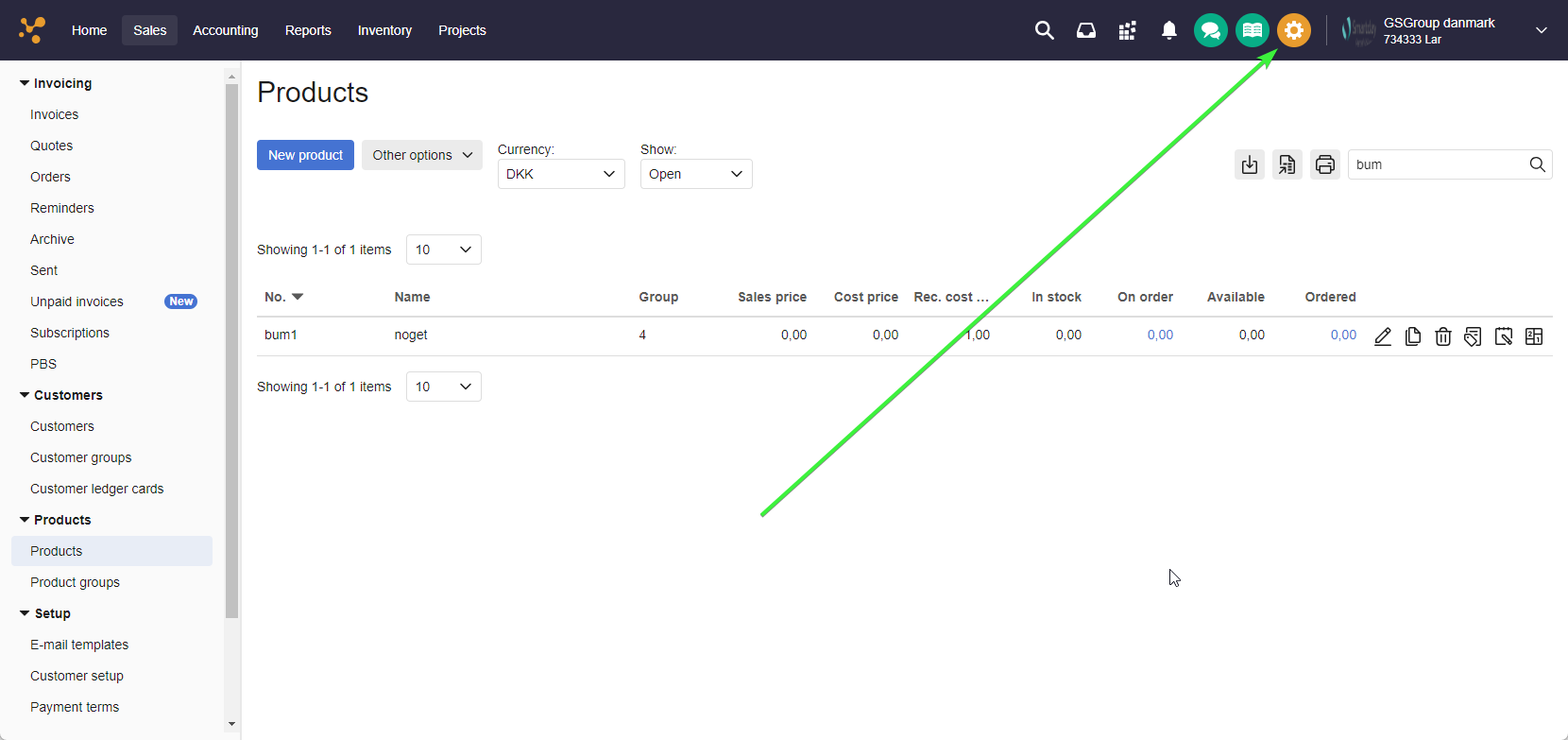
- Log in to e-conomic and go to Settings.
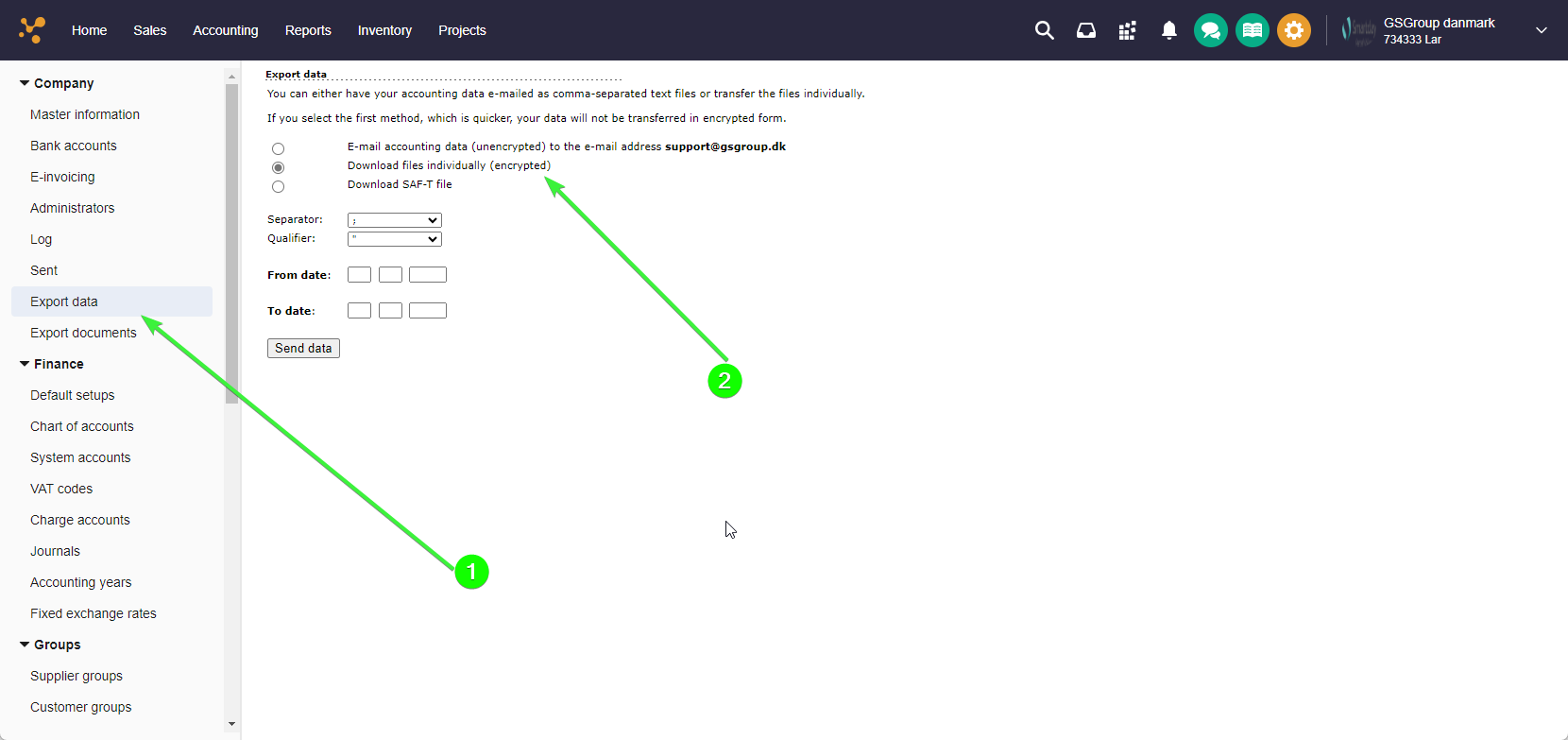
- In the left panel, select Export data (1) and choose Download files individually (2).
Download product.csv or item.csv.
- Open the file and edit column 7 — this is the unit type field. It must be a maximum of 4 characters long.
- Save the file.
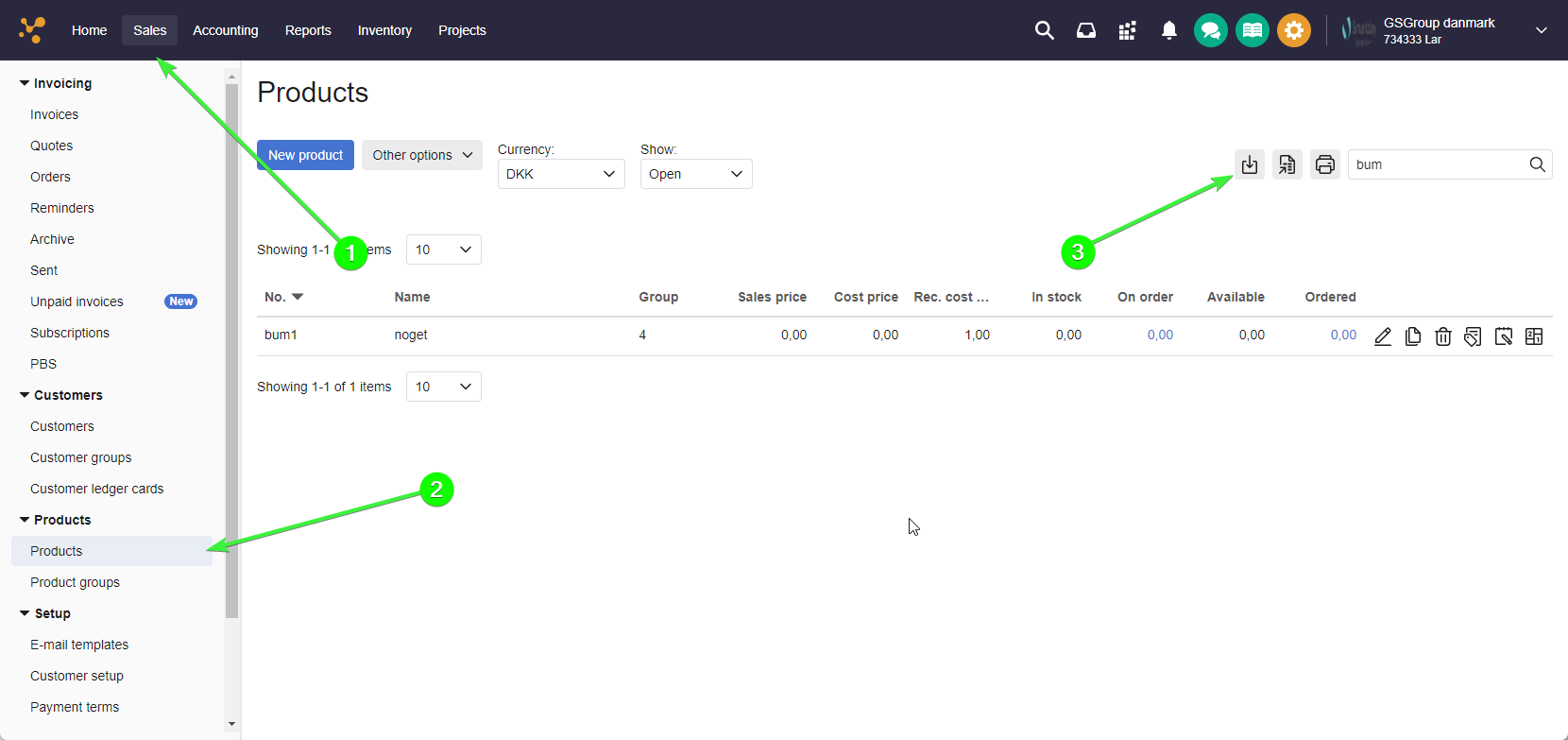
- In e-conomic, go to Sales (1) → Products (2) → Import products (3).
- In the import dialog, select to update column 7 (the unit type) from the file you saved.
The corrected unit types will be available in e-conomic and transferred to Handyman on the next synchronisation.